2026-11-09: A new PC + more
A new machine
So you may know that I got a new 14-inch MacBook Pro, and it's been awesome, but there is another machine that I needed an upgrade from, and thus... upgraded.
It's the Gaming PC.
As someone who is a computer nerd, I tend to build/upgrade my computers, so naturally, when I upgraded, I went with this.
This blog post is long, just a forewarning, and it is an explanation into my decisions for which parts I picked
The old:
The PC I had before was:
CPU: Intel Core i7-9700K
Cooler: Corsair H60
Motherboard: ASUS Prime Z390-A
RAM: Corsair Vengeance RGB Pro 32GB DDR4-3200
GPU: EVGA Black RTX 2070 Super 8GB
Storage:
- Samsung 980 SSD 1TB (main SSD, installed December 2021)
- Inland Premium 256GB SSD (tempdisk, old main SSD)
- Crucial BX500 500GB SATA SSD (Hackintosh SSD, seldom used)
- Western Digital 3TB WD Blue (general HDD #1)
- Seagate BarraCuda 4TB (general HDD #2)
Case: Thermaltake Level 20 MT ARGB
PSU: EVGA 750W Bronze Semi-Modular
OS: Debian 13 (LXDE)
Name: Miku
Back in 2020, this PC was very much a nice PC, and it got me through a lot of things, gaming, research, and more!
However, in 2026, this PC isn't the same high end machine as it was in 2020, and it's easy to guess, but I'll provide a deeper answer:
- With increasing ageing, I wasn't sure whether or not my PC could keep up with demands of stuff I currently do, and things I might want to try, without making a ton of noise + heat, or even at all
- I was already experiencing performance issues in games like FS2020, where I'd often experience frame drops, high CPU temperatures, etc.
- Hardware reliability is starting to become a concern, the PC was heavily used for nearly 7 years straight, and I've already been experiencing a major issue, that is, BIOS settings clearing after a poweroff. I know it's the CMOS battery, but still.
And there's another threat, one that compounds the first threat:
- Component markets (needs not much of an introduction assuming you're reading in 2026)
Now, I'm not going to go on a rant about how the shortages are a ploy to make us all cloud gaming users, and honestly, I really hate that attitude.
But the reality is this: I don't want to end up having to upgrade at an uncertain date where prices are whatever they happen to be, sure, it could work, but it could also super not.
I've used that mentality before for when I bought 3 12TB HDDs during Winter 2025 for my server, and that was the right call, prices went up by over 2x shortly after.
Anyway, you're here for the main show, which is about my new PC
The new PC:
Here are the parts I picked:
CPU: Intel Core Ultra 270K Plus
Cooler: Darkflash DE360 360mm AIO
RAM: G.Skill Ripjaws S5 32GB DDR5-6000
Motherboard: Gigabyte Eagle Z890 Wifi7 Plus
Graphics Card: Sapphire AMD RX 7900 XT 20GB (reference card)
Storage:
- Crucial P3 Plus PCIe Gen4 NVMe 2TB SSD
- Crucial BX500 500GB SATA SSD
- Western Digital 3TB WD Blue
- Seagate BarraCuda 4TB
Case: Thermaltake Level 20 MT ARGB (yes i reused the case)
PSU: Montech Century II 850 Watt 80 Plus Gold
OS: Windows 11 Iot Enterprise LTSC 2024
Name: Junko Tatara
Now, seeing this list, you might have some questions, such as:
Why did I go with Windows? Am I stupid?
The main reason why I didn't go with a linux distro is just that... my desktop linux experience can be best described as "I tried to love it"
Now don't get me wrong, Linux gaming has gone a long way, and it's good to see, and I am someone who uses Linux, but only on servers.
I've tried desktop linux twice, first using Nobara (Fedora based distro), second using debian (with LXDE).
But the truth is, I just... don't really find myself loving it on the desktop, I often find myself having to do hacky workarounds for some games I play (i.e. FS2020, Genshin impact, and what if I want to (re)explore other games?), and as much as I love nerd stuff and tinkering, I just... I don't necessarily want to do all sorts of silly hacks just to get something to work.
Another is that I don't find file management particularly enjoyable on Linux, nor is opening stuff like archive files a somewhat important productivity task for me.
Ultimately, even though I enjoy nerding out and messing around, I just... I don't want to do it constantly for stuff I want to do at times, especially gaming.
How did you afford this? Aren't RAM, GPU, SSD prices so expensive?
Unfortunately yes they are, however, I was able to save costs in many ways.
For the RAM, I did a special technique, one that's well known, but I love, it's to buy a CPU/Motherboard/DRAM combo from Micro Center (I am very glad I live near several), I picked the 270K Plus bundle.
For the SSD, I just... reused an old SSD with low hours (it was part of an external SSD but I never really used it for much) and put that in my PC.
For the GPU, I have a separate section for that
As for how I afforded all of this? Well lets just say:
- I haven't upgraded in a while
- I have had major life milestones
- I generally don't make money vanish the minute I get it
- I have some rather generous sponsors
Why did you go Intel?
I am well aware that the consensus is AMD for... basically everything, they have more reliable products, cheaper products, their sockets last long, and they have an awesome X3D lineup and frankly.
But here, there was a legitimate defense to Intel, for several reasons:
- The 32GB DDR5 bundle for the 9700X and 270K Plus were priced similarly (sadly I did not check this at the time, maybe I'd have gone with AMD if I did)
- However, the 270K Plus has 16 extra Ecores, which, as someone who uses her pc for non-gaming too, likes this.
- The 270K Plus and the 9700X (and even the 7800X3D) perform similarly in games, so I'm not losing out on much
So ultimately, even though AMD has absolutely blown Intel out of the water in terms of dominance, Intel is still not far behind, and IMO, that's a good thing, the competition between both ensures that no one CPU maker can dominate the market, or god forbid, starts stagnating.
Why an AIO?
Short answer: Why not :P
Long answer: I don't really like air coolers for their design (not that great compared to AIOs) and constraints, and while yeah, an air cooler is cheaper, and a 360mm AIO with LCD isn't cheap, I did find a decent one for a good price. Another is that I needed to replace some case fans at the front, so the 360mm AIO I brought came with them! One good thing about my AIO is that it has an LCD, which is great, because I can do everything from providing GPU and CPU temperatures right there, to playing Bad Apple!! on the LCD Now, one thing I'd like to comment on is that, last time I picked out parts, I made a mistake, which was... picking a 120mm AIO (spoiler, they're not effective, and the one I got isn't even one with cool features). The belief was that I could not put a 240mm AIO on the top (I did not want to put it on the side, and I wasn't going to go with a 360mm at the time).
Some more personal thoughts on various things about it:
The name, Junko Tatara:
I picked this name for my PC for a few reasons, primarily:
- A nod to Junko from Touhou, her color scheme being red, orange, and black, which is referenced here (AMD reference GPU, the motherboard box had orange and the AIO fans have an orange midframe, and the PC was actually mostly black/gray), that and she's uh, very powerful, like this PC!
- This wasn't the initial aim, but IMO, the name "Junko" fits the pure gunmetal aesthetic I randomly got. Junko most commonly means pure child in Japanese, and this PC is pure power and is something I built like I would raise a child.
- I generally name my machines after stuff/characters, particularly japanese things, so why not :P
- I forgot to name my first PC (the 9700K machine) at first, I only gave it a proper name (it was Kazuha, but I then realized Miku would fit better) a while later, so I had to give this one a proper name
The last name Tatara fits here too, as:
- The PC was something I built, and Tatara means furnace in Japanese, and well, a furnace forges, I forged the PC
- A furnace is an industrial device, and I will say that the gunmetal aesthetic (combined with either all-red, all-dark blue, or all-light blue RGB) gives off the industrial aesthetic.
On the motherboard:
So I did some research into the motherboard I got for my new PC (Gigabyte EAGLE Z890 WIFI7 PLUS), and I will say, for it being a so-called "budget to mid range board", it packs a lot of punch. Here are some of the features I can see that make it feel like a high-end board:
- Hella metal on both sides, so it feels strong
- Plenty of M.2 slots, covered with, again, metal
- Rear Power + Reset + Clear CMOS + Q-flash buttons
- Built-in IO Shield
- Debug LEDs
- Built-in Wifi7
- Here is a unique one: 4x USB 2.0 ports
- It might seem strange, but there is a unique reason why I like this, and it has something to do with... low bandwidth peripherals! Mainly things like keyboard, mouse, headset, microphone, and webcams. The main reason why I like this is... it doesn't make sense to take up high-bandwidth USB 3.0 or 3.1 ports for things like keyboards and mice, yet my previous motherboard only had 2 USB 2.0 ports. What's nice here is that low-bandwidth stuff can be plugged into the USB 2.0 ports and I don't have to waste bandwidth
That said, there are some things I feel as if could be improved:
- More SATA ports, I feel like that 4, even though for most users would likely be enough, isn't enough for everything and everyone, what if I want to repurpose this into a server one day?
- More PCIE slots, 1x16 slot and 2x 4x-but-16x physical slots IMO isn't enough for things that might be installed, even if M.2 slots are plentiful and GPUs are getting thicker
- A more intuitive BIOS (like ASUS's) and not having Secure Boot on by default
- The thing that grinds my gears the most, however, is that the reset button is recessed, but either the Q-flash button... isn't?
- A Postcode readout for better debugging
The GPU story:
This one is a funny story, because it was one of those "last minute oh shit" decisions (I literally had got most of the parts), as one would say. I was initially thinking of just... using my RTX 2070 Super as my GPU for now, and honestly, it was a good card, sure it 's not blazing fast anymore, but it's not bad. But, I kind of just decided to go GPU shopping... anyway. At the micro center (best computer store ever), I saw the refurbished listings for some refurb cards, I considered them, but then I realized that they would likely not come back for a while, if ever. I then decided to walk up to the DIY section to ask if they had any refurb GPUs, iirc they said they had a 7800 XT for 475,which I was hesitant for and quickly decided against. So after I got home that night, I decided to try and find a GPU for a decent price,no luck. But then I decided to expand my search, and I stumbled upon a 625USD eBay listing for an RX7900XT Reference GPU, with only one issue: poor temperatures, especially during extended gaming. I was a bit hesitant, decided to try looking elsewhere for a GPU in the 5-600 range (my traditional range), and I found... not much, some looked promising but I wasn't sure if I should go with them. So I decided to come back to the 7900XT listing from eBay, when I got an offer for 575$. Initially, I decided to try and get it down even further, but the seller refused, so I decided to accept it. It works well, temperatures are fine from my testing, fans work, etc etc, and I will repaste it when I get the chance (ft. PTM7950).
However, the RX 7900 XT is actually, very much a good card for the price I paid. It has a lot of horsepower AND 20GB VRAM, very good compared to most NVIDIA (or even consumer AMD cards with RDNA 4), and despite it being 4 years old, it's only last generation (and high end at that), and it supports tech like FSR4.1, so IMO, it was a good call that I didn't sacrifice too much on. Perf-wise, it trades blows with the RTX 5070 and RX 9070, and surpasses the 9070 GRE and 5060 TI.
That isn't to say that the card is perfect, it's ovbiously not a 5080/90, and there is one drawback that is inherit to this generation (RDNA 3), that being, worse ray tracing compared to NVIDIA GPUs
That said, I will say that, for the price I paid for, I got a great deal on a card that not only has comparable performance to cards that are not going to be sold for 575$, but actually has things beyond those cards, like VRAM.
Installing Windows:
A brief story here, but for some reason, I always fail to install Windows on the first try when building PCs.
For my first PC:
- I'd get the error of "Windows detected that the EFI system partition was formatted as NTFS. Format the EFI system partition as FAT32, and restart the installation." at first when installing Windows
- So, I (probably wrongfully), formated the USB drive as FAT32 and used a tool to turn an ISO to that USB, but then... I got the "Windows cannot open the required file D:\Sources\install.wim. Make sure that all files required for installation are available and restart the installation. Error code: 0x8007000D" error. It turns out, FAT32 has a filesize limit, and then-modern WIM images exceed it.
- Eventually, after numerous trials and error (thanks dad), I got the installer working
For this PC, I had a similar challenge, it turns out, despite literally running a Windows ISO Site, I had a similar mistake.
I kept trying to boot into IOT Enterprise LTSC (using Ventoy), and I kept getting errors. I tried wimboot, nothing, I tried legacy and UEFI, nothing, I tried different partition tables, filesystems, etc, and nothing.
Then, it hit me, I had downloaded an ARM64 ISO instead of an AMD64 one. So I had to download an AMD64 one and copy that, 🫠 and install windows. Then, I had to try to install Windows twice, the first time failing, so I had to use the older setup UI.
I eventually got Windows installed, and from then on, very little issues. I am now enjoying my PC, using it for gaming, and more!
Some funny build moments:
Not much to say, but:
- One was erm, where it'd boot but not display anything, turns out, I had to reseat the GPU and SSD
- Another was where I kept trying to figure out how to screw in the radiator and the fans, which was erm, a mess, turns out, you have to get the screws exactly right, or else you will not attach the radiator to the case and fans
- A friend, who turned out to be a fellow tech nerd, was in the room with me, and she helped me build and we bantered
Some photos:
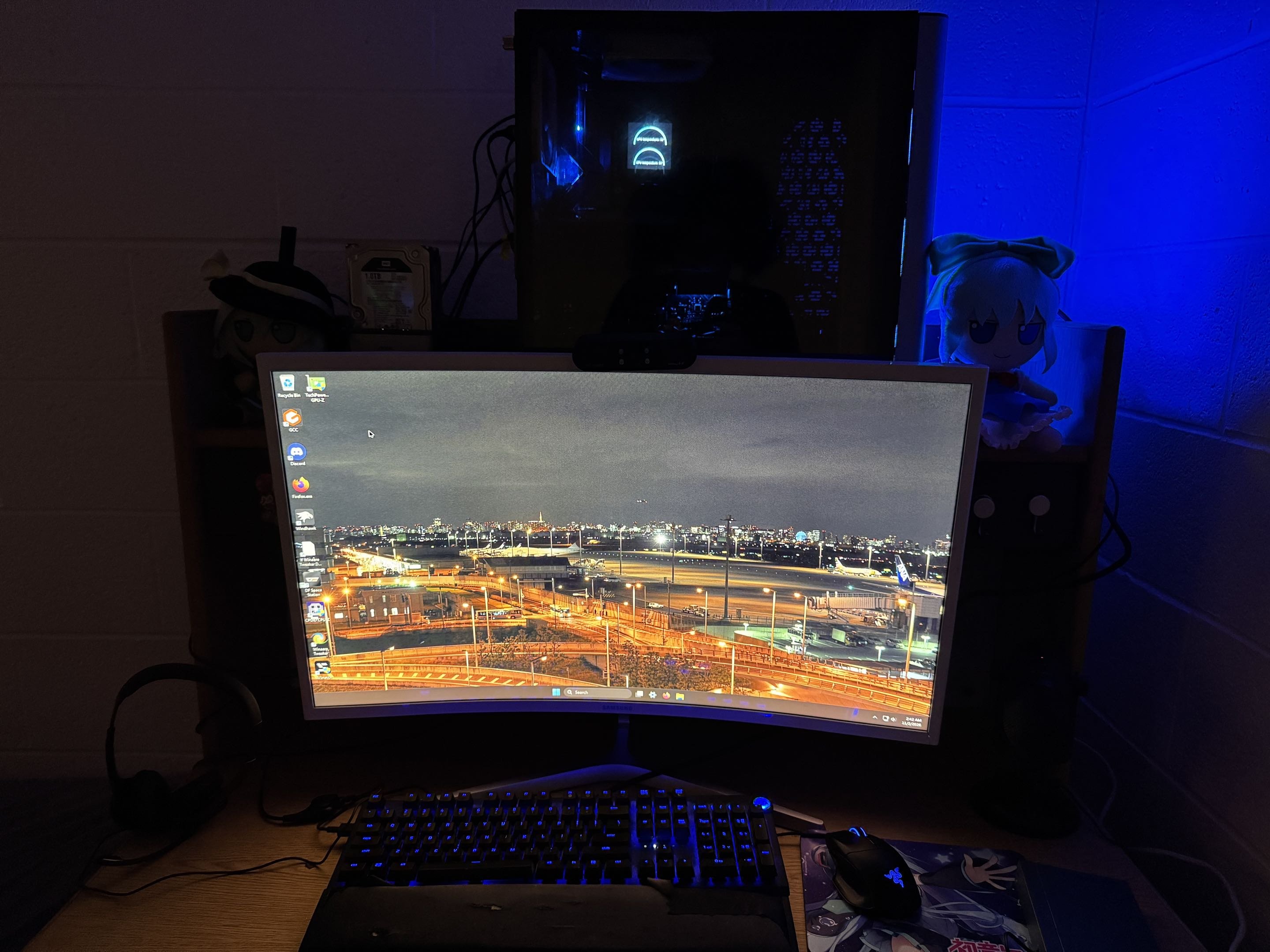
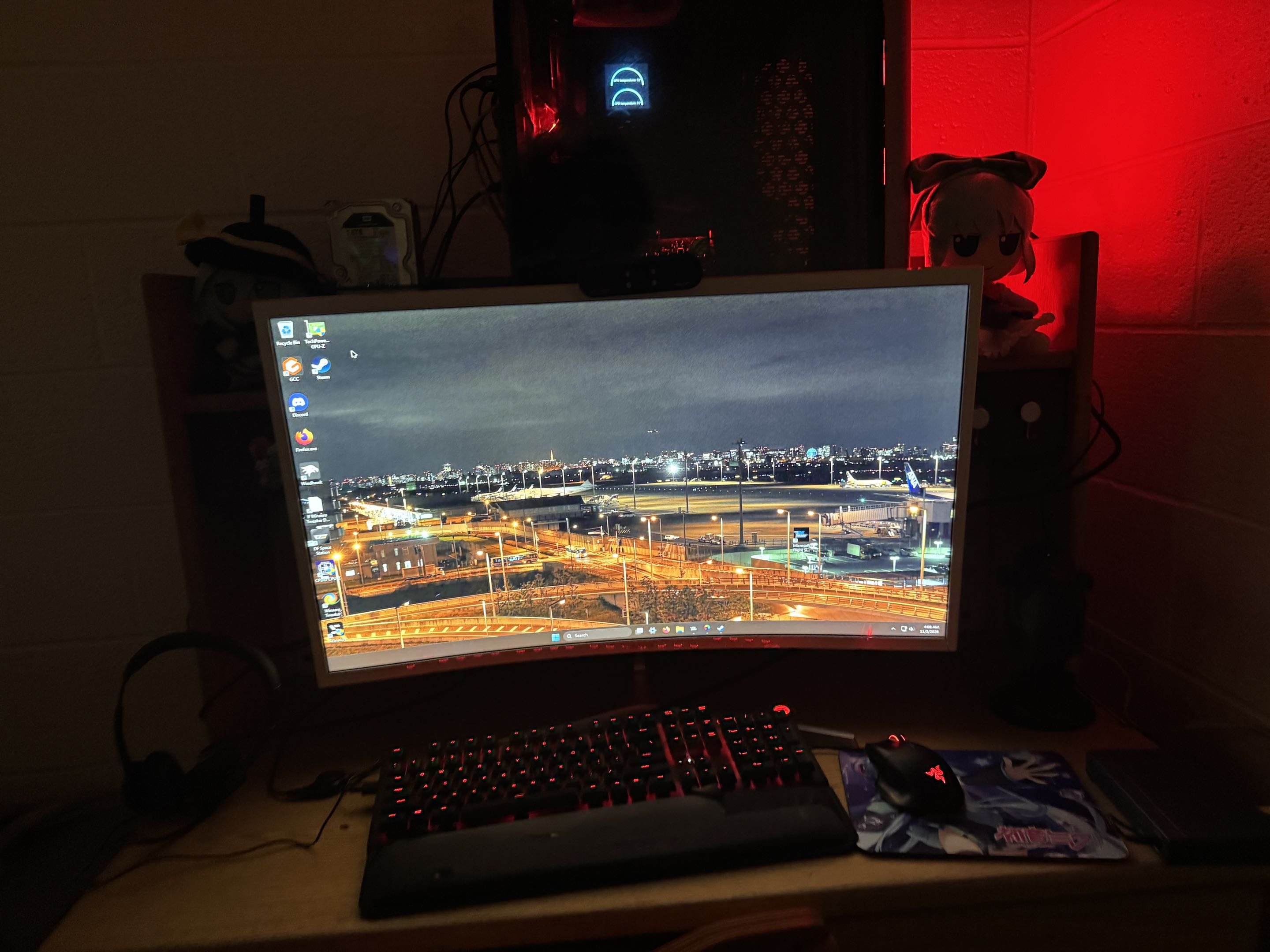
The desk setup, in both Deep Blue and Evil Red RGB lighting
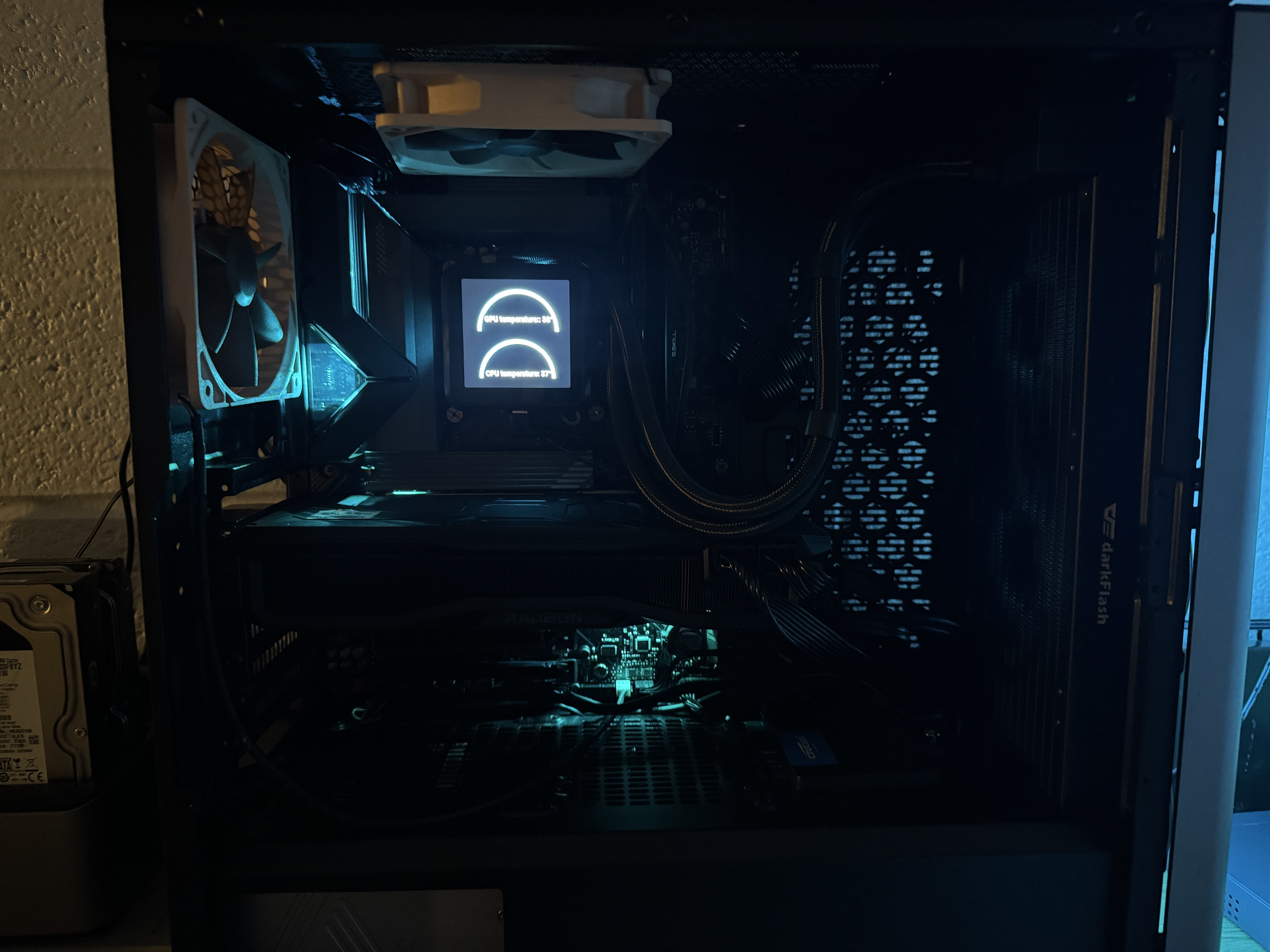
The inside, you can probably see the gunmetal aesthetic here, looks beautiful doesn't it?
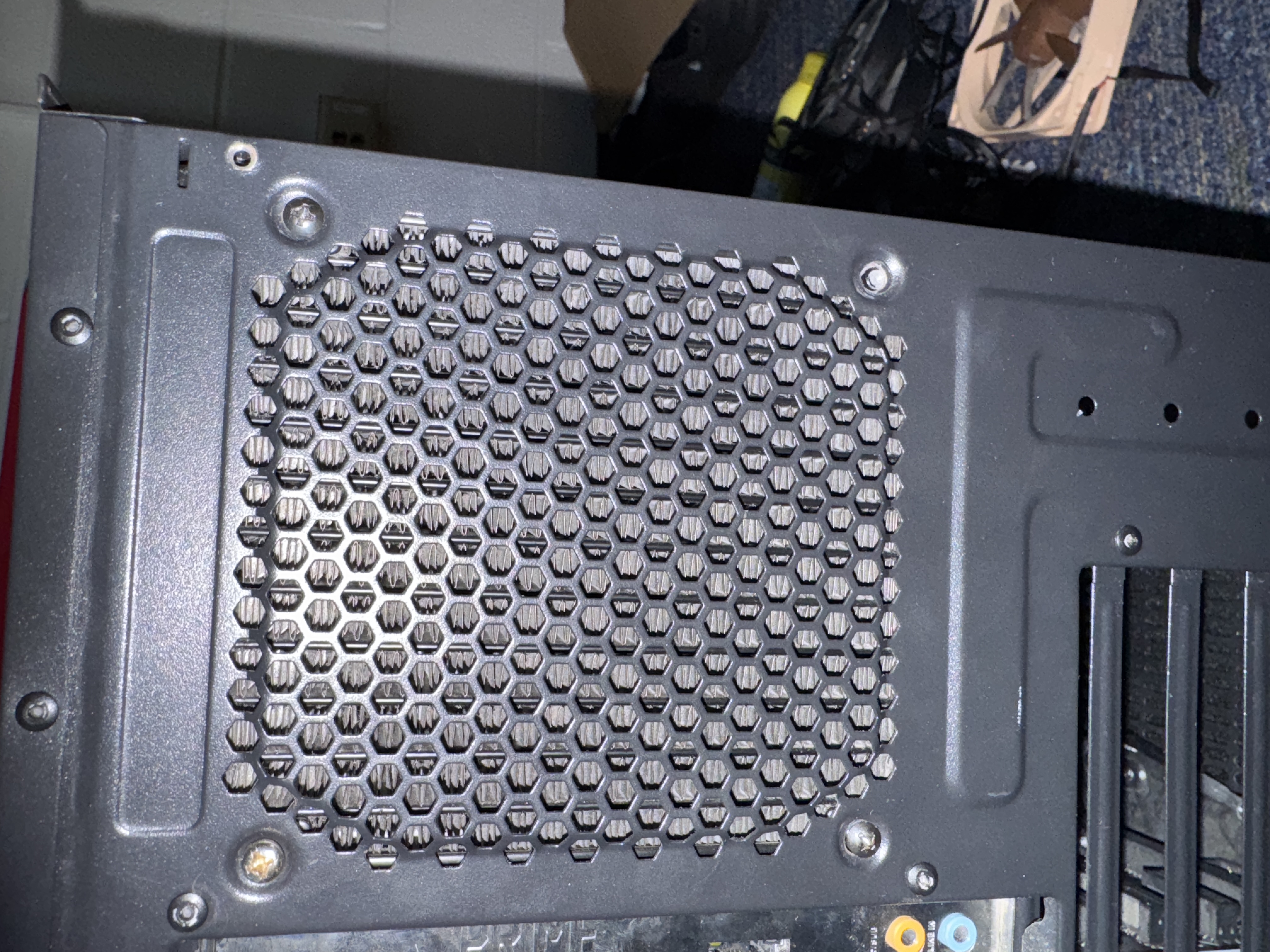
A final shot of the rear of the old PC, I had already removed the front fans that were proprietary and uncontrollable, and one was failing, and I had already removed the GPU too.
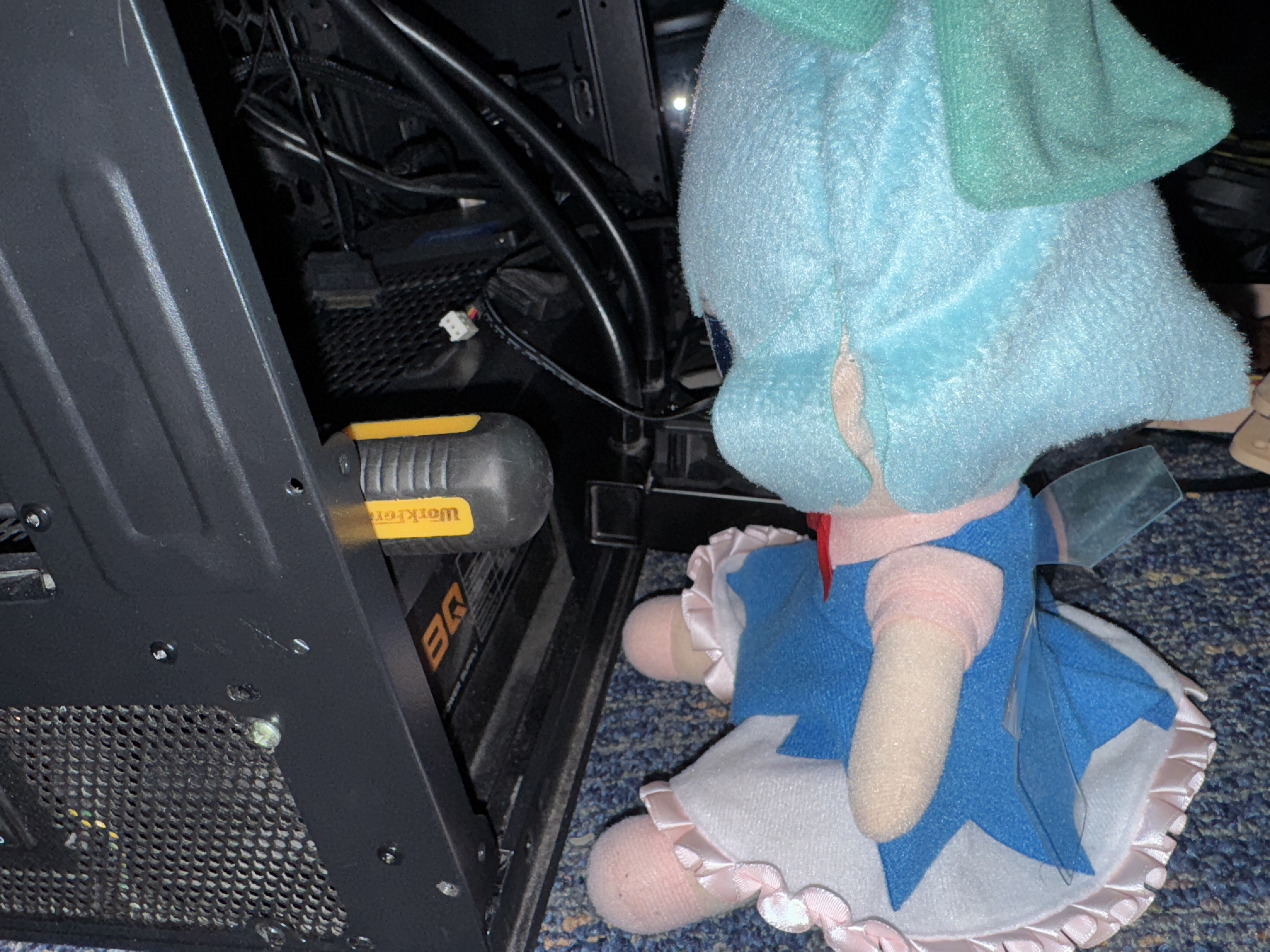
Dismantling the old PC, I guess Cirno decided to help here
More...
So you may notice a lack of activity from this site/blog, and honestly, you're right. I think I said I would update this blog, but I never did much. The truth is... I've just been experiencing busyness with uni and hobbies and all, and also various mental health challenges (I am fine, doing my best to hold on, even when it's tough). I am, however, happy to report that I got my HRT dose increased from 4mg/day to 6mg/day. I also became an adult and just experienced 5 years on Discord, yay!
In addition to that brief life update, I did some following changes:
- updated my hardware list for my new PC (and naming my MacBook)
- added some adapted copies of some old blog posts that were popular and that I liked
- Added a section for links to cool sites and people
- redesigned the navigation for the site to be more split and in a better order